


See how ShopTickets works
Take a closer look at ShopTickets inside Shopify.
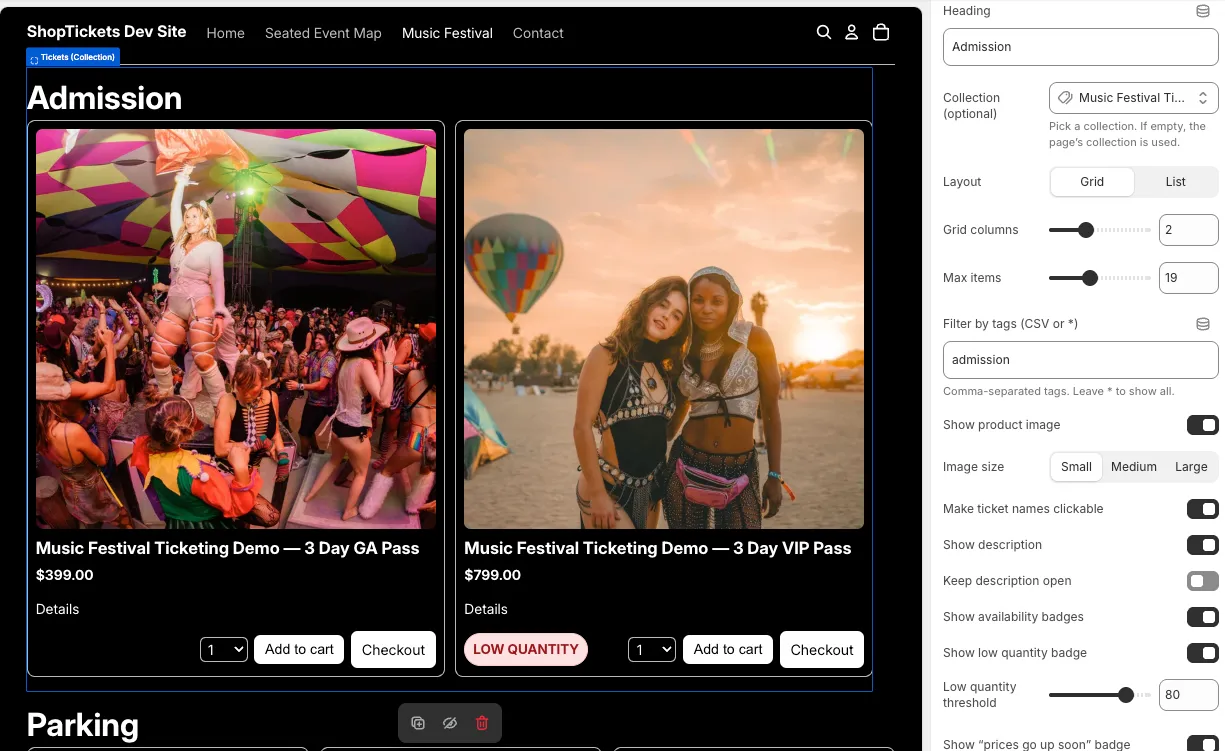
Make the experience yours
Keep ticketing fees predictable
Stay ready for event day
Clear app pricing for your ticket sales
Choose a monthly plan and pay a flat ShopTickets fee per ticket. Both plans include full access to the ticketing platform.
$0
What’s included
Full platform access
Email tool: $1.00 per 1,000 emails sent
Unlimited events and ticket types
Reserved seating
Email support
Store setup help
$49
What’s included
Full platform access
Email tool: $0.75 per 1,000 emails sent
200 complimentary tickets per month
Unlimited events and ticket types
Reserved seating
Email support
Store setup help
Prices are in USD. Shopify subscriptions, payment processing and email-tool usage are additional. Recurring and usage-based app charges are billed every 30 days.
YOUR EVENT. YOUR NUMBERS.
What could you save on ticketing?
Choose a platform, enter your event numbers, and compare the fees. Have a custom deal? Make the rates your own.
Enable JavaScript to use the fee calculator, or book a walkthrough to discuss pricing for your event.
Questions before you get started
Do I need Shopify to use ShopTickets?
Yes. ShopTickets is an app for Shopify, so you need a Shopify store and plan. Your Shopify subscription and payment-processing fees are separate from ShopTickets charges.
Can I use my own branding?
Yes. Tickets are sold through your Shopify storefront. Use ShopTickets blocks to arrange event information, ticket options and seating maps within your store's design.
Can I sell general admission and reserved seats?
Yes. ShopTickets supports general admission ticket types and reserved seating with interactive seat maps. You can configure sections, rows, seats, prices and availability for your event.
How does ticket scanning work?
Your team can use the ShopTickets iOS app or web scanner. Enroll each device with the event ID and PIN from your ShopTickets dashboard, then scan guests' QR tickets at the door.
Can the iOS scanner work without internet?
The iOS scanner supports offline check-in using a downloaded event manifest and syncs check-ins after reconnecting. Prepare your devices while online before the event. Contact us to review the setup for multiple gates or devices.
Where can I get setup help?
Email support@shoptickets.net with your Shopify store and event questions, or book a demo to walk through the platform and discuss your setup.
Ticketing that works with your Shopify store
ShopTickets connects events and tickets to Shopify collections and products, so you can use your storefront, customer records and commerce tools together.
Keep events and tickets connected
Events connect to Shopify collections and ticket types connect to products, keeping ticketing inside your commerce workflow.
Manage sales and event-day details
Configure seat holds, on-sale windows, ticket inventory, seating maps, payment plans and QR tickets in ShopTickets.
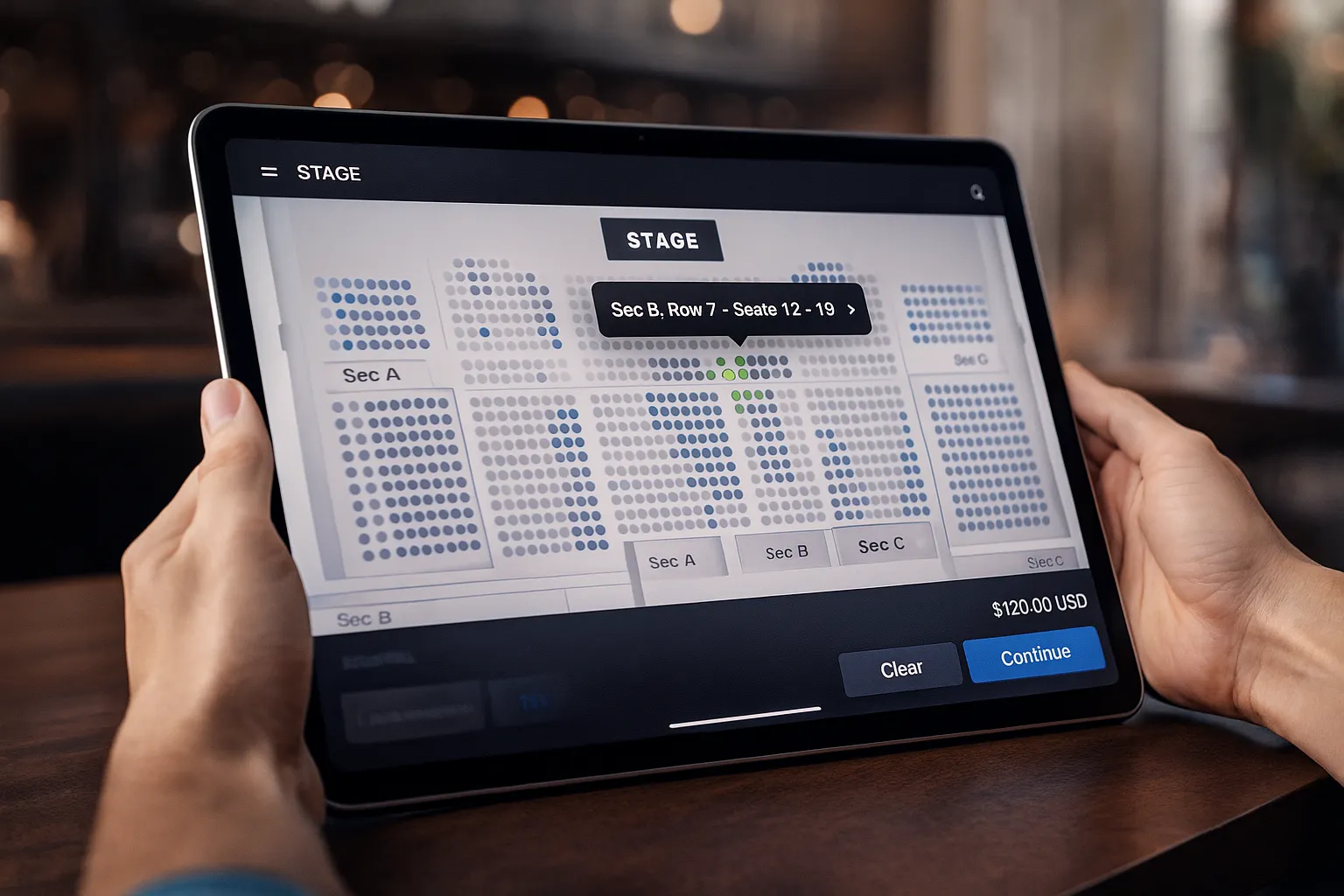
Explore event setup and branding
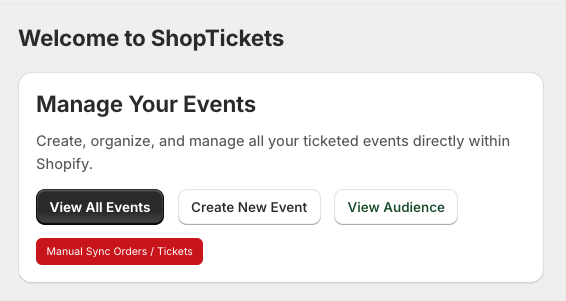
From event setup to ticket sales
Create your event, add tickets and publish through your Shopify store.
Create your event in ShopTickets. Connect event details and images to a Shopify collection.
Add ticket types, inventory and event rules. Tickets connect to Shopify products for that event.
Publish in your store. Add ShopTickets storefront blocks and start selling tickets through Shopify.
Make your ticket pages match your brand
Use ShopTickets storefront blocks to organize ticket options, seating maps, event details and add-ons within your Shopify theme.
- Split an event into multiple pages
- Bundle tickets and deals
- Show low-stock and price-change notices
- Set automatic price changes and inventory limits
- Display one or more seat maps
- Display your events in a list
- Offer ticket options, add-ons and payment plans
Reserved seating
Reserved seating, inside your store
Create sections, rows and seats in ShopTickets, then link them to ticket types. Add the interactive seating map to your Shopify storefront so guests can choose their seats.
- Upload your venue map and build sections, rows and seats.
- Set ticket types, seat prices and availability.
- Use seat holds and quantity rules to manage ticket selection.
- Duplicate events to reuse seating-map information across dates.
- Add the seating-map block to your Shopify storefront.
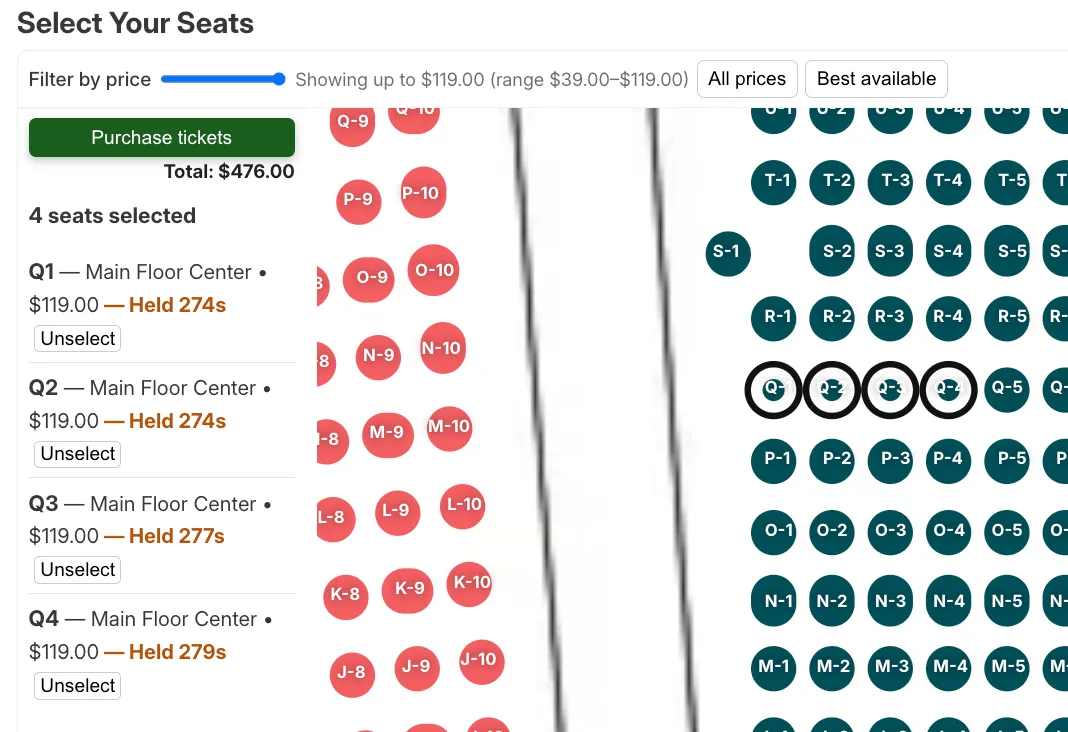
Explore seating setup options
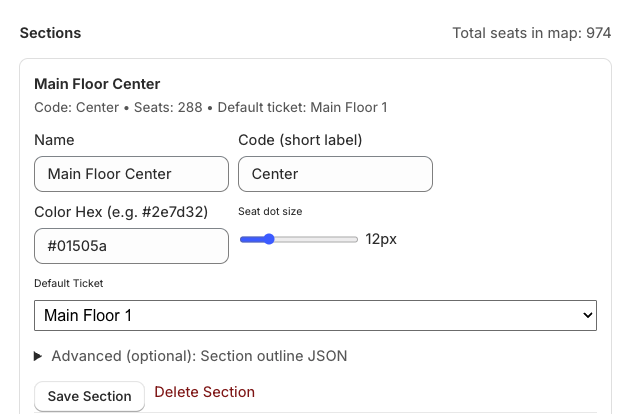
Customize by section
- Name each section and choose seat colors and sizes.
- Customize names for sections, rows and seats.
- Assign each section a default ticket type, then adjust individual seats when needed.
- Apply ticket-price changes and tier rules by date or quantity.
- Use optional rules to help avoid leaving single seats in a row or on an aisle.
- Add as many rows and seats to a section as needed.
Add to your storefront
Place an interactive event map on your Shopify storefront with the ShopTickets seating-map block.
- Configure price filters, best-available selection and hold times.
- Guests can zoom, pan and select sections on desktop and mobile.
- Seat holds and quantity limits help manage selection and checkout for reserved seats.
- Duplicate pages and events to reuse your maps.
- Email tickets with the selected seat details.
Scanner and gate operations
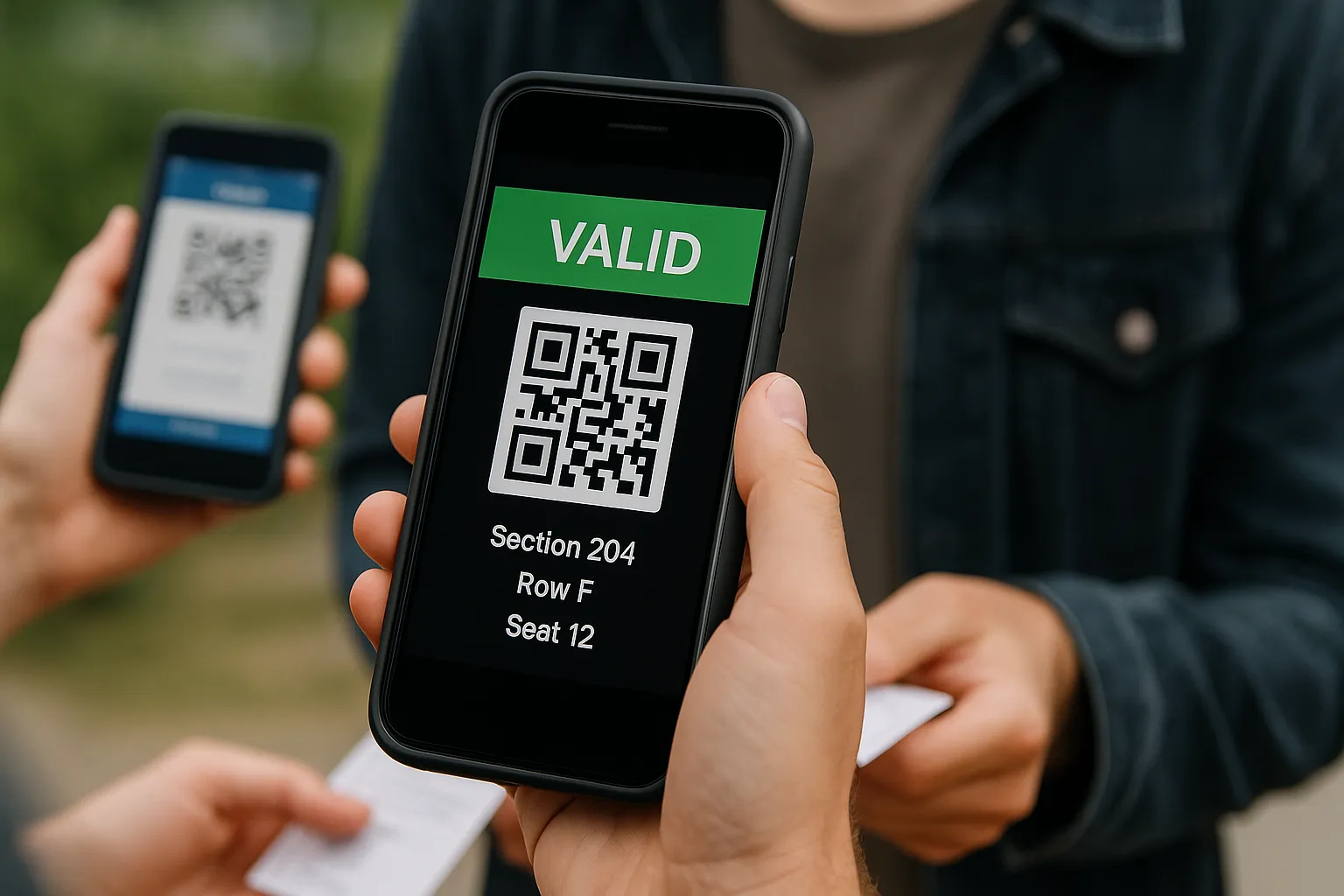
QR ticket check-in for your gate team
- Native mobile scanner app for iOS
- iOS offline check-in with a downloaded event manifest
- Support for phone and paper tickets
- Instant feedback: valid, duplicate scan or wrong event
- Scan QR tickets with the device camera
- Create event aliases, name devices, set PINs and choose which ticket types each device can scan.
- Review scanner reports in your dashboard
- For clubs, conferences, arenas and multi-day festivals
- Open web scanner or
Features included with both plans
Explore all platform features
Completely customizable ticket pages
Design ticket pages that actually feel like your brand. Control layout, colors, copy, upsell blocks and FAQs so your ticket page looks like your site, not a generic ticketing portal.
Branding and messaging for each event
Give each event its own imagery, color accents, legal copy and FAQs while still keeping everything on brand. Perfect for multi venue organizers and recurring series that share a parent brand.
Broadcast and reminder emails
Send pre event reminders, arrival guides and last minute updates using the same system that delivered tickets. Segment by event, purchase date, promo codes, ticket type or anything else so the right people get the right message.
Interactive seating maps with seat selection
Let fans click to choose exact seats on an interactive map. Support GA, reserved seating, VIP sections and price tiers through a visual layout your team can update without developers. Simple to build, easy to deploy.
Unlimited events and ticket types
Run as many events, series, nights and ticket types as you like. No arbitrary caps on events, variants or seat groups so your pricing scales with success rather than limiting it.
Custom ticket delivery options
Offer electronic tickets, will call, shipping or no delivery at all, per event or per ticket. Configure delivery rules to match your operational reality instead of forcing a single method.
Branded tickets for mobile
Send clean, on brand tickets that look great in every inbox and on every phone. Include QR codes, event info, maps and important notes in a layout that feels premium.
Comp tickets and guest list tools
Create complimentary tickets in a few clicks. Enter name, email and quantity, generate a draft order at zero dollars and send out polished tickets that behave like regular purchases in your system.
CSV upload for mass guest lists
Download a pre built CSV template with ticket columns, fill in quantities per guest, then upload. The app creates reviewable draft orders so you can double check everything before sending.
Flexible pricing tiers and releases
Build early bird, regular and last call tiers that change on dates or inventory thresholds. Increase urgency with automatic tier bumps instead of manually rewriting product prices before each push.
Tickets connected to Shopify orders
Tie tickets cleanly to Shopify orders so refunds, cancellations and edits remain traceable. Keep a clean record of who actually holds each ticket when plans change or orders are adjusted.
Track ticket availability
Watch remaining inventory by ticket type and section as orders flow in. Use these counts to drive urgency on your pages and to keep teams aligned on remaining availability at a glance.
Deep Shopify data integration
Tickets are real Shopify products so you can use existing discounts, bundles, customer tags, apps and analytics. Plug ticketing into your existing marketing stack instead of building everything twice.
Scanner access for your team
Enroll scanning devices with the event ID and PIN from your ShopTickets dashboard. Set up event aliases and device permissions for your gate team.
Connect ticket sales to your follow-up tools
Use Shopify Flow or your email tools to trigger campaigns from ticket cart events and orders. Nudge fence sitters, send upsell offers and automate thank you sequences without custom code.
Ticket add-ons and merchandise
Bundle parking, VIP upgrades or merch with ticket products. Use Shopify’s normal product relationships and add ons so fans can build their ideal experience in a single checkout.
Exportable reports and CSVs
Download attendee lists, scan logs, ticket inventories and revenue breakdowns whenever you need them. Hand clean spreadsheets to your accountants, production team or sponsors without wrestling exports.
Smart comp and sponsor reporting
Tag sponsor, media and staff tickets and report them separately from paid sales. Show partners exactly how many people they brought in without muddying your true gross revenue picture.
Use Shopify payment and risk tools
Rely on Shopify payment security, risk tools and third party fraud apps to protect ticket orders. You avoid reinventing payments risk while still owning the customer relationship end to end.
For a range of event formats
Use ShopTickets for workshops, club nights, conferences and festivals. Configure ticket types, seating and gate scanning for the way your event runs.
Native iOS app and web scanner
Use the web scanner or download the iOS app to scan QR tickets. The iOS app supports offline check-in with a downloaded event manifest and syncs check-ins after reconnecting. Prepare devices while online before your event.
Plan your next event on Shopify.
Share your event plans. We’ll reply with a setup walkthrough and a fee comparison. Only your business email is required.
Built from real event experience
ShopTickets was created by the co-founder of Same Same But Different, drawing on firsthand experience with ticket sales, guest lists, and gate operations.
Read the ShopTickets story →Ready to sell tickets in your Shopify store?
Install ShopTickets or book a walkthrough to discuss your event setup.